Smart boards blend interactive touch, high‑resolution displays, and built‑in computing to transform teaching, brainstorming, and collaboration. This guide highlights top 5 65″ and 55″ models with 4K clarity, multi‑touch capabilities, and open app ecosystems to fit classrooms, meeting rooms, and hybrid workspaces. Each option emphasizes easy collaboration, reliable performance, and flexible integration with popular platforms.
| Product | Brand | Display | Key Strengths |
|---|---|---|---|
| COOLHOOD 65″ Smart Board | COOLHOOD | 65″ 4K | Android 13, 128GB, wireless sharing |
| BIG VUE 65″ Interactive | BIG VUE | 65″ 4K | 8GB RAM, 256GB storage, 48MP camera |
| Vibe S1 55″ Smart Board | Vibe | 55″ 4K | 8ms pens, cloud whiteboard, 250+ apps |
| NEWORK 65″ 4K Smart Board | NEWORK | 65″ 4K | Android 14, Google EDLA certified |
| HORION 65″ Smart Board | HORION | 65″ 4K | 50‑point touch, Google EDLA, remote collaboration |
The following selections prioritize models that balance robust interactive features with broad compatibility for education and modern office workflows. They support large‑group collaboration, remote participation, and seamless content sharing across devices.
COOLHOOD 65 Inch Smart Board
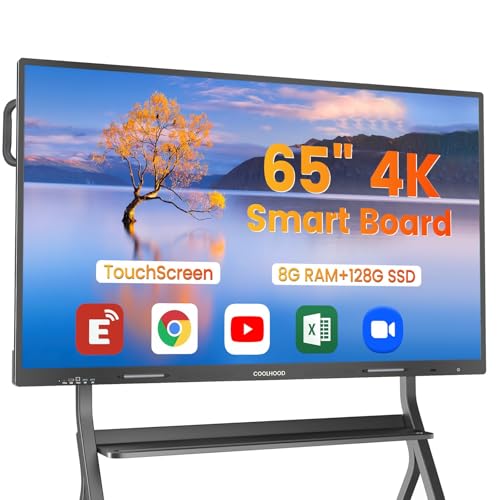
The COOLHOOD 65″ Smart Board combines a 65‑inch 4K interactive touchscreen with an octa‑core processor, 20‑point multi‑touch, and Android 13. It includes 128GB of storage to run apps smoothly for presentations, annotation, and collaborative tasks in classrooms or offices. Wireless screen sharing supports Mac, Windows, iOS, and Android devices, helping teams collaborate across platforms. Built‑in tools like smart voting, screenshot capture, and a timer streamline decision making. A wall mount is included; a separate stand is available if needed. The open app ecosystem enables flexible deployment in diverse environments.
Key features to consider:
– 65‑inch 4K display with multi‑touch input for large groups
– Android 13 with ample storage for apps and data
– Wireless collaboration and QR code sharing support
– Wall mount included; stand sold separately for flexible setup
BIG VUE 65 Inch Interactive Smart Board

The BIG VUE 65″ model is designed for classrooms and conference rooms with a 4K UHD touch display, 8GB RAM, and 256GB storage. Its 48MP camera and an 8‑array microphone system support high‑quality video conferencing, hybrid teaching, and remote collaboration. This setup accommodates multimedia presentations, screen sharing, and interactive lessons with reliable performance and clear audio pickup, making it suitable for large group sessions and virtual participation.
Key considerations:
– High‑resolution display with robust multitasking capabilities
– Ample RAM and storage for apps and content
– Integrated camera and microphone array for video meetings
– Optimized for teaching, training, and collaborative work
Vibe S1 55 Inch Smart Board

The Vibe S1 55″ smart board blends a 4K display with cloud‑based whiteboarding and an extensive app ecosystem (250+ free apps). It supports real‑time collaboration and content sharing across sites, with an 8ms response time that mimics pen‑to‑paper writing. Its open ecosystem allows teams to meet, ideate, and present seamlessly, whether in person or remotely. The device emphasizes collaborative productivity with hybrid meeting readiness and robust content management.
Highlights:
– 55″ 4K display with fast response for interactive use
– Cloud whiteboard and open app ecosystem
– Tools for ideation, annotation, and remote sharing
NEWORK 65 Inch 4K Smart Board

The NEWORK 65″ 4K Smart Board emphasizes education and hybrid work with Google EDLA certification and Android 14. The 65‑inch UHD display provides broad viewing angles, while the 8GB RAM and 64GB ROM support multitasking and app usage. Certification and OTA updates offer enterprise‑grade reliability and access to Google Play Store and Google Workspace for a seamless experience in schools and businesses that rely on Google services.
Considerations include:
– Google EDLA certification for access to Google apps
– Android 14 with modern multitasking capabilities
– 4K display with wide viewing angles for classrooms and meeting rooms
HORION 55 Inch Smart Board

The HORION 55″ smart board offers 4K Ultra‑Clear display and 40‑point multi‑touch, enabling multiple users to interact simultaneously. It runs Android 13 and supports dual‑system collaboration (Android and Windows via external OPS). This flexibility makes it a versatile option for classrooms and offices, with easy remote collaboration and interactive handwriting recognition that supports remote whiteboarding sessions.
Key points:
– 55″ 4K with 40 touch points for large groups
– Dual‑system capability with easy switching between Android and Windows
– Advanced handwriting recognition and remote collaboration
HORION 65 Inch Smart Board
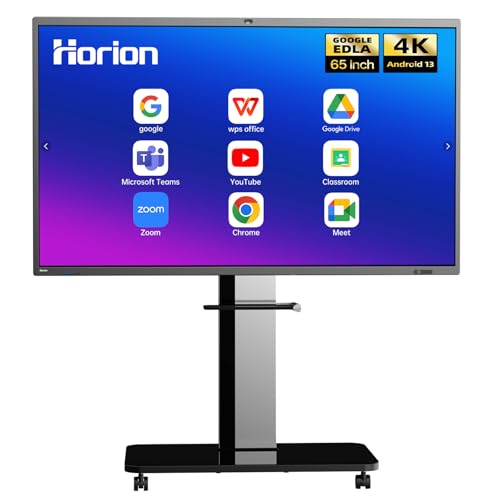
This 65‑inch HORION model is Google EDLA‑certified, features 50‑point touch, a robust octa‑core processor, 8GB RAM, and 128GB storage. It serves as a central hub for classrooms, offices, or home studios, combining a digital whiteboard, signage, projector, touch screen TV, computer, and sound system in one device. Wireless screen sharing from multiple devices is straightforward, and one‑tap annotation and instant screenshots streamline collaborative sessions. AI camera and smart features aid engagement in larger groups.
Buying Guide: Key purchase considerations and comparisons
– Display and touch: Prioritize 4K resolution and the number of touch points (e.g., 20–50) to accommodate large groups and confirm the accuracy and latency of touch input.
– Processing inside: Look for octa‑core or equivalent CPUs, enough RAM (8GB+) and ample storage (64GB–256GB) to run apps smoothly and store content locally.
– OS and app ecosystem: Android 13/14 or Windows support, plus an open app ecosystem, enable flexible app choices for teaching and collaboration. Google EDLA certification can matter if you rely on Google Workspace.
– Collaboration tools: Built‑in annotation, screenshot, QR sharing, and wireless screen casting improve classroom and meeting efficiency. Check for built‑in cameras (e.g., 48MP) and microphone arrays for remote participation.
– Content sharing: Wireless, QR code sharing, and cross‑platform compatibility with Mac, Windows, iOS, and Android are essential for multi‑device environments.
– Mounting and setup: Verify whether a wall mount is included or if a separate stand is required. Consider whether the board supports portable or fixed installations to suit space constraints.
– Security and updates: Look for OTA updates, enterprise features, and data protection within the ecosystem to protect sensitive information in classrooms and offices.
– Certifications and compliance: Google EDLA certification or other enterprise certifications can influence compatibility with Google services and security expectations.
– Use case fit: For classrooms, prioritize large displays, camera quality for telepresence, and rugged touch performance. For offices, emphasize robust collaboration features, reliable casting, and easy integration with existing conferencing tools.
– Price vs. value: While all options here are feature-rich, align the final choice with space size, number of concurrent users, and required software ecosystems to maximize return on investment.